
• Home
  • IT Support
  • General Office
  • QX Support
Method Studio SupportMethod Studio Support
  • Home
  • IT Support
  • General Office
  • QX Support

SketchUp: Authorize/Deauthorize Computers

April 15, 2024 BIM Apps, IT, SketchUp

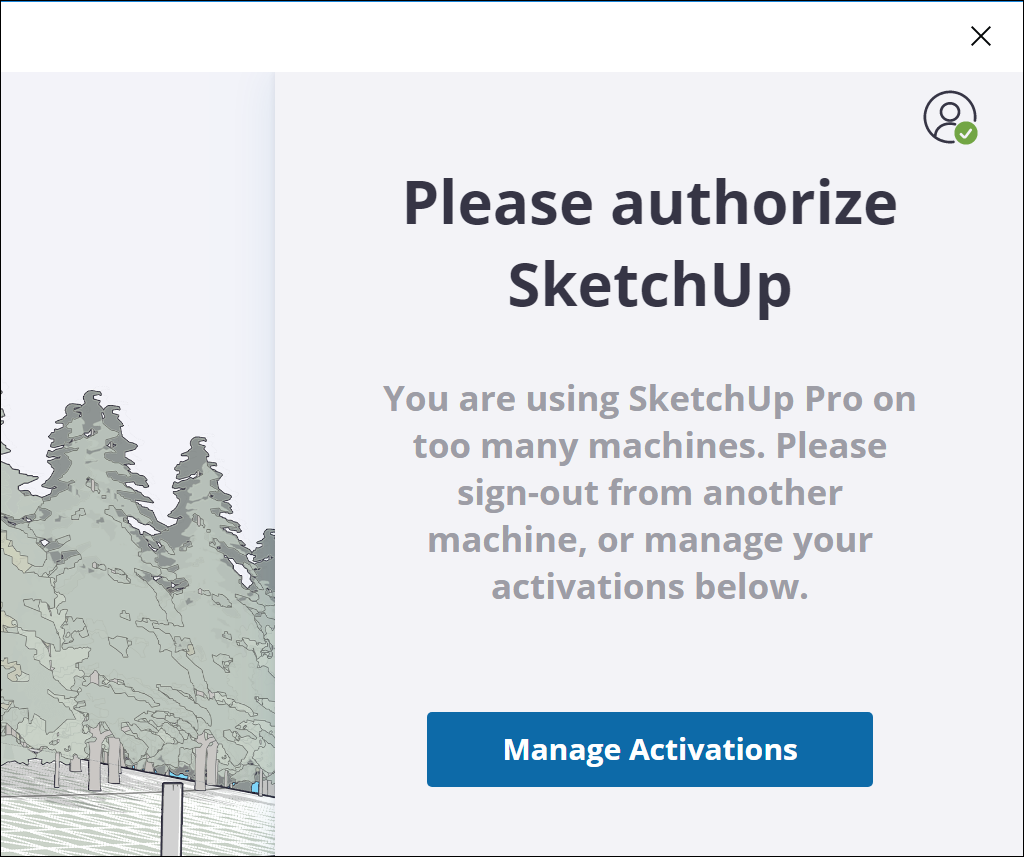
There are a limited number of computers you can be signed into with SketchUp. If you are unable to sign into SketchUp you will need to manage activations and deauthorize computers.

Click on Manage Activations
Click on My Products
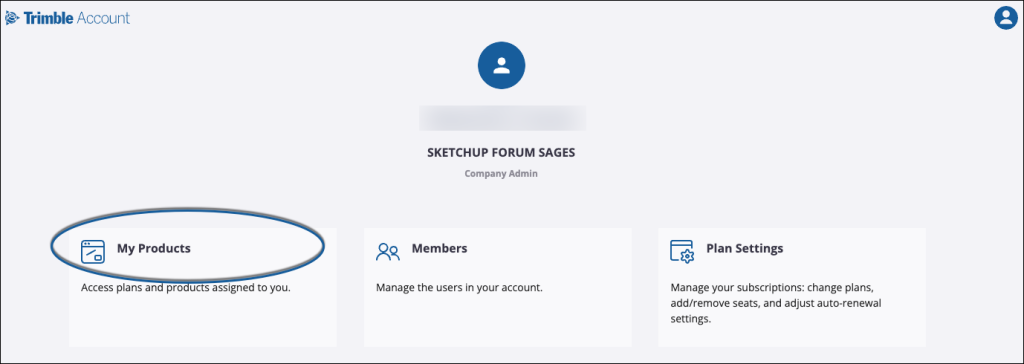
Click on Installed Applications
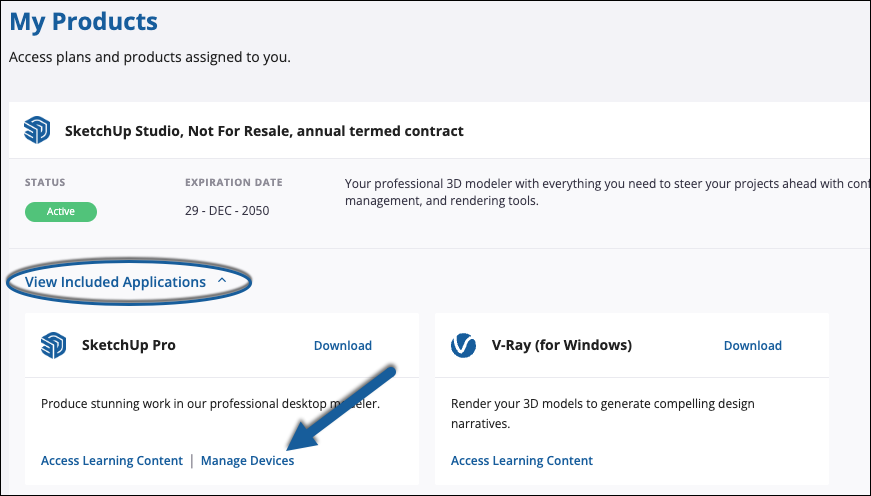
Clicking View Included Applications shows all applications included in your current subscription. Look for the SketchUp Pro tile and click Manage Devices. The Confirm Deauthorization window will appear.
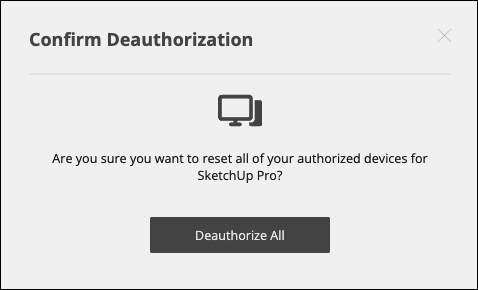
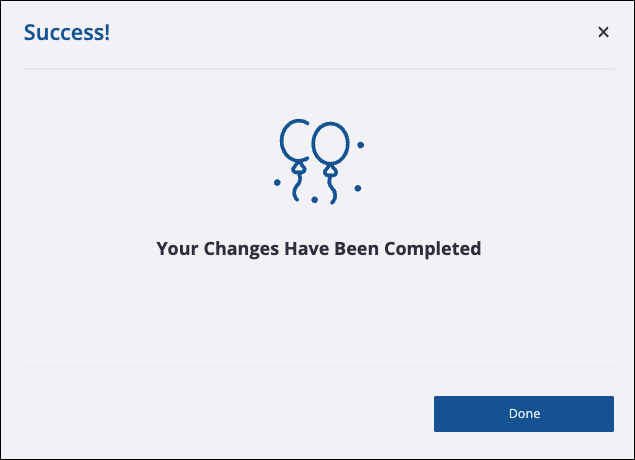
Clicking Deauthorize All logs you out of SketchUp on each of your devices and you’ll get a confirmation message letting you know your changes have been completed.
Once you’ve deauthorized your devices, you must Sign out of SketchUp (not just the web page but the software). Login again on each device you use SketchUp applications on. If you had SketchUp open on a device before you deauthorized all devices, you must close it and relaunch the application.

If you do not sign out, you will continue to get a message stating that you have installed SketchUp on too many machines.

You also might be interested in

MacOS: Control the pointer using Mouse Keys

Dec 5, 2023

With Mouse Keys on your Mac, you can move the[...]

MacOS: Common Shortcuts & Commands

Dec 5, 2023

By pressing certain key combinations, you can do things that[...]

Revit: How to access and download Twinmotion for Revit

Jun 11, 2024

Issue: How to access Twinmotion from Epic Games for Autodesk[...]

Contact Us

We're currently offline. Send us an email and we'll get back to you, asap.

Send Message

Pages

  • Admin Docs
  • General Office
  • Home
  • IT Support
  • QX Support

Categories

  • General Office
    • Food
    • Supplies
  • IT
    • Ajera
    • Barracuda Email Gateway
    • BIM Apps
      • Autocad
      • Bluebeam / Revu
      • Enscape
      • PyRevit
      • Revit
      • SketchUp
    • Computer Hardware
      • Monitors/Displays
      • Printing & Scanning
    • Cybersecurity
    • MacOS
    • Mobile Devices
    • Networking
    • Office 365
      • Excel
      • Microsoft Authenticator
      • OneDrive
      • Outlook
      • Teams
    • PDF
    • VPN & Remote Connection
    • Windows
      • Shortcuts

Recent Posts

  • Bluebeam: Missing Menu Bar or Toolbar
  • How to send Encrypted Email externally (outside the organization)
  • Enscape: already installed on this machine
  • PDF: How to open a PDF file
  • VPN: Understanding Virtual Private Networks (VPN)

2026 Method Studio

Prev Next