
• Home
  • IT Support
  • General Office
  • QX Support
Method Studio SupportMethod Studio Support
  • Home
  • IT Support
  • General Office
  • QX Support

Revit: “The central model cannot be found, perhaps due to a lost network connection” when syncing

April 16, 2024 BIM Apps, IT, Revit

Issue:

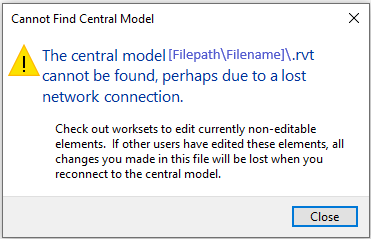
When synchronizing in Revit, the message “The Central model cannot be found, perhaps due to a lost network connection” appears.

Cannot Find Central Model

The central model C:\Users\username\Desktop\filename cannot be found, perhaps due to a lost network connection.
Check out worksets to edit currently non-editable elements. If other users have edited these elements, all changes you made in this file will be lost when you reconnect to the central model. 
Causes:

The local model was incorrectly created and is orphaned from the central model.

Solution:

To create a local copy of a central model, use the following steps:

  1. Open the appropriate version of Revit.
  2. Click File > Open > and navigate to the central model on the server.
  3. Click once to select the central model
  4. Verify that the Create New Local box is checked.*
  5. Click Open.

When the local file is opened, your username will be appended to the model name at the top of Revit.

*Note:

If the ‘Create New Local’ box is not checked and/or is grayed out, it may be that another user is syncing at that moment; wait a few moments and try again. If this persists, it may be that the central model needs to be resaved as a central model. While opening the model when this box is NOT checked, the central model itself will be opened (not a local copy) and this may result in worksharing problems.

You also might be interested in

Ajera: Time & Expense page doesn’t launch

Jun 5, 2024

Installing ClickOnce for Microsoft Edge and .Net Framework 3.5 Ajera[...]

SketchUp: Authorize/Deauthorize Computers

Apr 15, 2024

There are a limited number of computers you can be[...]

AutoCAD: Plot style file CTB or STB is missing or damaged

May 28, 2024

Issue: When plotting in AutoCAD or DWG TrueView, a CTB[...]

Contact Us

We're currently offline. Send us an email and we'll get back to you, asap.

Send Message

Pages

  • Admin Docs
  • General Office
  • Home
  • IT Support
  • QX Support

Categories

  • General Office
    • Food
    • Supplies
  • IT
    • Ajera
    • Barracuda Email Gateway
    • BIM Apps
      • Autocad
      • Bluebeam / Revu
      • Enscape
      • PyRevit
      • Revit
      • SketchUp
    • Computer Hardware
      • Monitors/Displays
      • Printing & Scanning
    • Cybersecurity
    • MacOS
    • Mobile Devices
    • Networking
    • Office 365
      • Excel
      • Microsoft Authenticator
      • OneDrive
      • Outlook
      • Teams
    • PDF
    • VPN & Remote Connection
    • Windows
      • Shortcuts

Recent Posts

  • Bluebeam: Missing Menu Bar or Toolbar
  • How to send Encrypted Email externally (outside the organization)
  • Enscape: already installed on this machine
  • PDF: How to open a PDF file
  • Enscape: How to activate Enscape using a license key

2025 Method Studio

Prev Next