
• Home
  • IT Support
  • General Office
  • QX Support
Method Studio SupportMethod Studio Support
  • Home
  • IT Support
  • General Office
  • QX Support

Microsoft Excel: How to freeze Rows & Columns

May 30, 2024 Excel, IT, Office 365

Freeze the Top Row or First Column

1. Click on the View tab on the Excel Ribbon.

2. Click the drop-down for Freeze Panes.

3. Click Freeze Top Row – allows scrolling down many rows and still shows the top row.

OR

4. Click Freeze First Column – allows scrolling to the right and still shows the first column.

Note: You cannot select both Freeze Top Row and Freeze First Column.
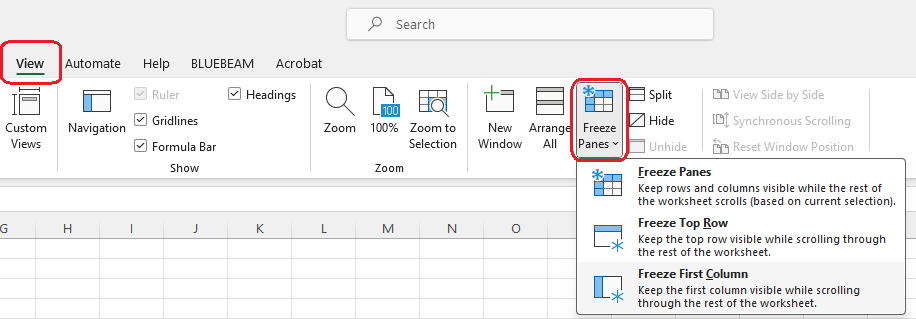

Freeze Panes

If you want to freeze both columns and rows, do the following:

1. If Split is currently active, turn it off.

2. If Freeze Panes is currently active, turn it off.

3. Select the cell below the rows you wish to keep visible and to the right of the columns you want to keep visible when you scroll.

4. Select Freeze Panes > Freeze Panes.
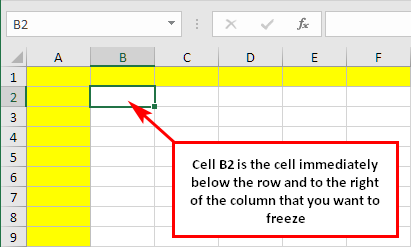
If you wish to freeze the top 2 rows and left 3 columns, D3 would be the cell immediately below row 2 and to the right of column C, you would select D3 before selecting Freeze Panes.


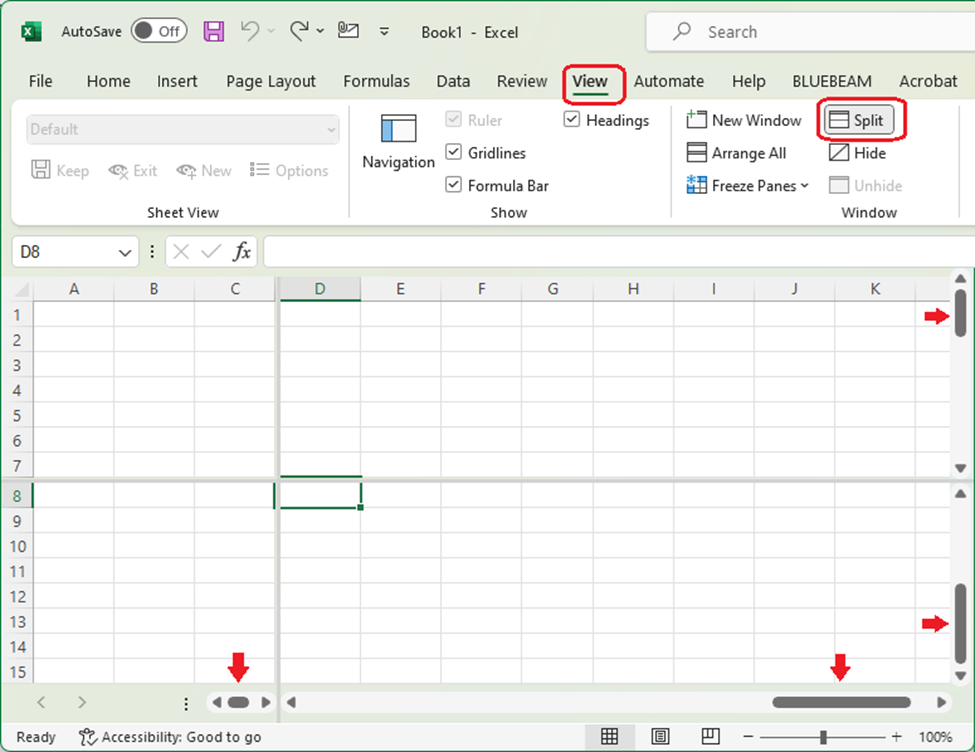
Split View

Split View places the spreadsheet in four different quadrants that are individually scrolled.

Hide & Unhide

Hides the workbook.
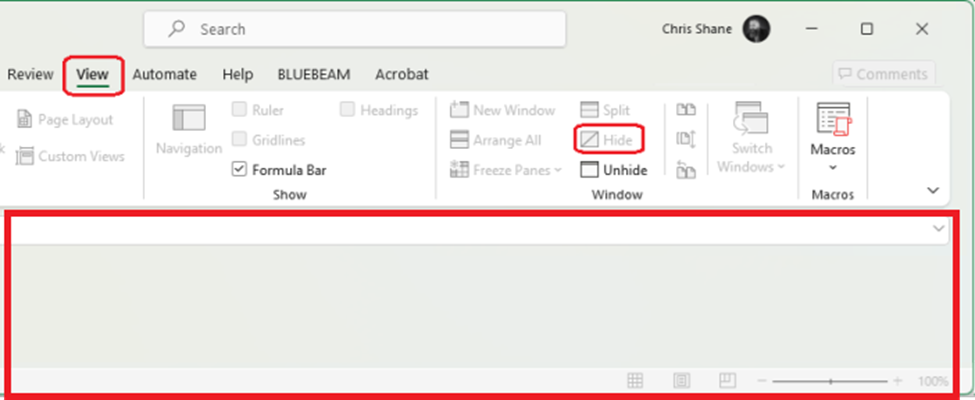
Unhide restores the workbook.

You also might be interested in

How to reset the Video Card Driver

May 29, 2024

Windows 🪟+ Ctrl + Shift + B This helpful trick[...]

Enscape: Installation Guide

Feb 23, 2024

Overview Installing Enscape for the first time should be simple[...]

Revit: Command prompt window opens & closes for SQLDUMPER.EXE in Revit or Advance Steel

Apr 29, 2024

Issue: Users reported that when launching or working in Revit[...]

Contact Us

We're currently offline. Send us an email and we'll get back to you, asap.

Send Message

Pages

  • Admin Docs
  • General Office
  • Home
  • IT Support
  • QX Support

Categories

  • General Office
    • Food
    • Supplies
  • IT
    • Ajera
    • Barracuda Email Gateway
    • BIM Apps
      • Autocad
      • Bluebeam / Revu
      • Enscape
      • PyRevit
      • Revit
      • SketchUp
    • Computer Hardware
      • Monitors/Displays
      • Printing & Scanning
    • Cybersecurity
    • MacOS
    • Mobile Devices
    • Networking
    • Office 365
      • Excel
      • Microsoft Authenticator
      • OneDrive
      • Outlook
      • Teams
    • PDF
    • VPN & Remote Connection
    • Windows
      • Shortcuts

Recent Posts

  • Bluebeam: Missing Menu Bar or Toolbar
  • How to send Encrypted Email externally (outside the organization)
  • Enscape: already installed on this machine
  • PDF: How to open a PDF file
  • Enscape: How to activate Enscape using a license key

2025 Method Studio

Prev Next