
• Home
  • IT Support
  • General Office
  • QX Support
Method Studio SupportMethod Studio Support
  • Home
  • IT Support
  • General Office
  • QX Support

How to send Encrypted Email externally (outside the organization)

February 6, 2025 Barracuda Email Gateway, IT, Office 365, Outlook

We have a way to send encrypted emails through our Barracuda Email Gateway.

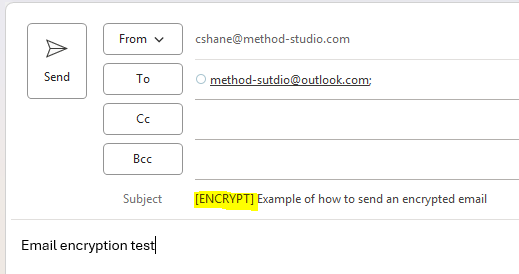
In order to do, you would create a new email and in the subject line type [ENCRYPT] before typing anything else.
The [ENCRYPT] must be before any RE: or FWD: etc.

Example:
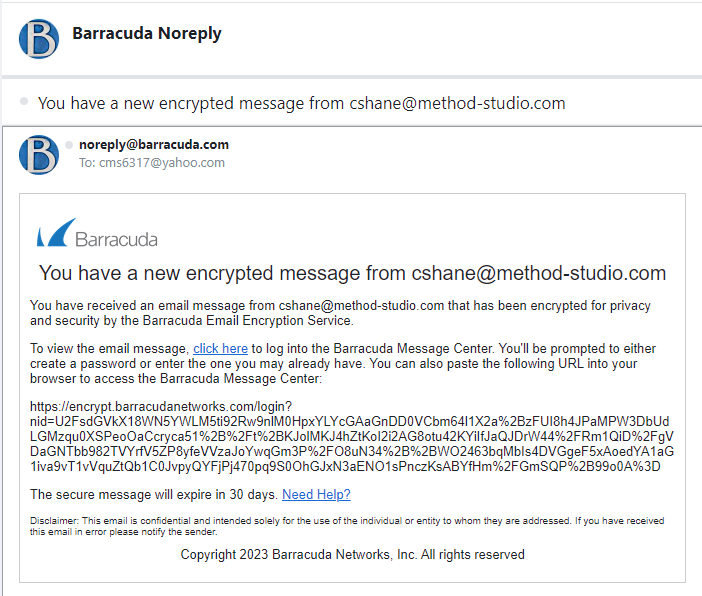
The recipient will receive an email from “noreply@barracuda.com” stating that they received an encrypted message and need to create a password.

Once done, they can see the message. The password will be set for that email address for all future messages.

Example:
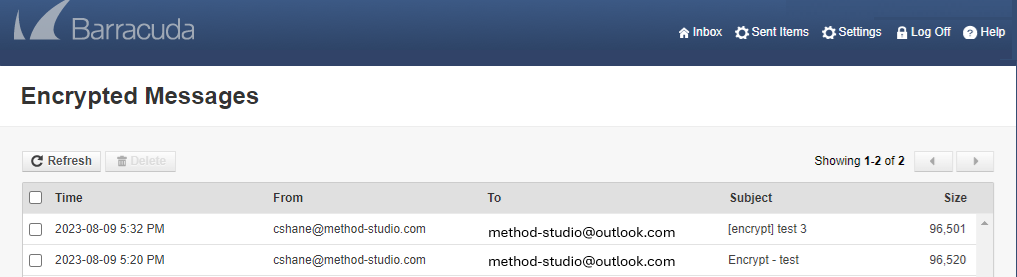
Once the external recipient has set up a password, they will be able to access the email.
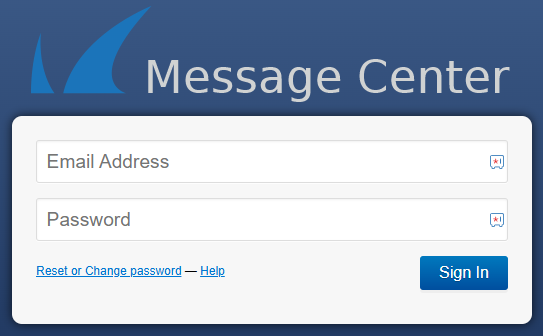
If a user forgets their password, they have the option to reset it.
Please note that the encrypted message expires after 30 days. If it is something the recipient wants to keep, they will need to save it.

If you have any questions, please contact IT

You also might be interested in

Monitors: Display Connection Types

Jul 17, 2023

Connecting Laptops to Monitors: Most laptops have HDMI ports. Some[...]

Microsoft Excel: Transpose (rotate) Data from Rows to Columns or Inversely

May 31, 2024

If you have a worksheet with data in columns that[...]

SketchUp: Exporting & Importing User Settings

Apr 1, 2024

When you make changes to your preferences, SketchUp saves your[...]

Leave a Reply

Your email is safe with us.
Cancel Reply

Contact Us

We're currently offline. Send us an email and we'll get back to you, asap.

Send Message

Pages

  • Admin Docs
  • General Office
  • Home
  • IT Support
  • QX Support

Categories

  • General Office
    • Food
    • Supplies
  • IT
    • Ajera
    • Barracuda Email Gateway
    • BIM Apps
      • Autocad
      • Bluebeam / Revu
      • Enscape
      • PyRevit
      • Revit
      • SketchUp
    • Computer Hardware
      • Monitors/Displays
      • Printing & Scanning
    • Cybersecurity
    • MacOS
    • Mobile Devices
    • Networking
    • Office 365
      • Excel
      • Microsoft Authenticator
      • OneDrive
      • Outlook
      • Teams
    • PDF
    • VPN & Remote Connection
    • Windows
      • Shortcuts

Recent Posts

  • Bluebeam: Missing Menu Bar or Toolbar
  • How to send Encrypted Email externally (outside the organization)
  • Enscape: already installed on this machine
  • PDF: How to open a PDF file
  • Enscape: How to activate Enscape using a license key

2026 Method Studio

Prev Next