
• Home
  • IT Support
  • General Office
  • QX Support
Method Studio SupportMethod Studio Support
  • Home
  • IT Support
  • General Office
  • QX Support

Microsoft Excel: How to add an always visible Top Row in a table

June 3, 2024 Excel, IT, Office 365

To add an always-visible title, you can place it in the top row of your spreadsheet.

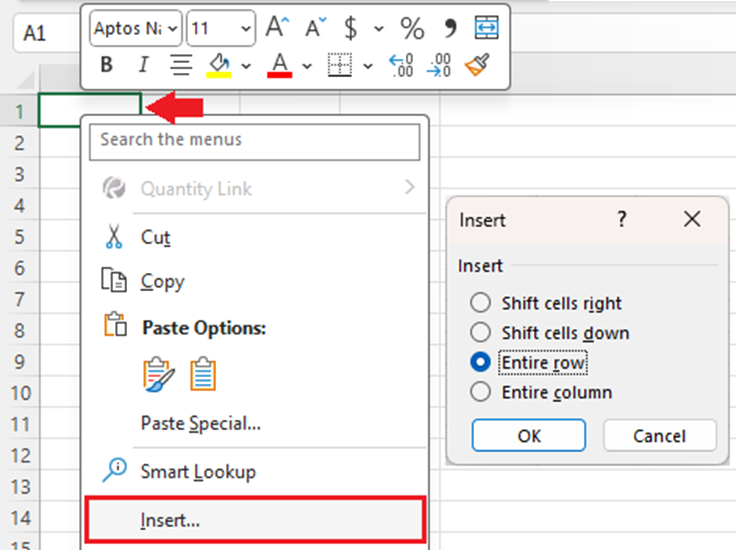
1. First we are going to add a new top row. Right-click cell A1 (the first cell at the top left of your spreadsheet), and choose Insert. Select Entire Row and click OK.
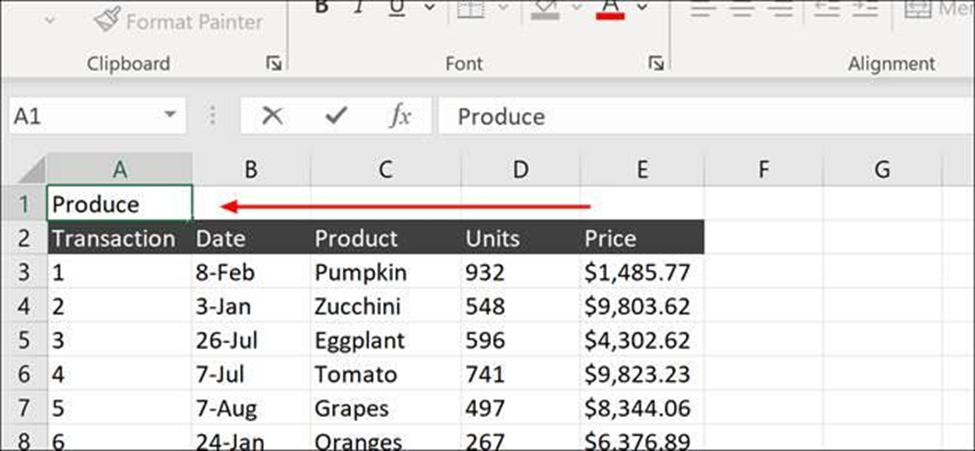
2. Type the title for the spreadsheet anywhere in the new row (the exact cell you choose doesn’t matter, it will be merged).
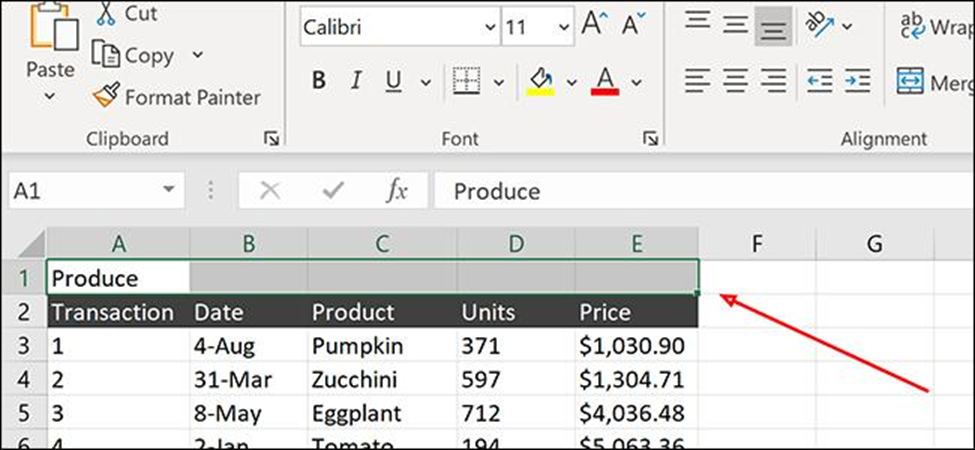
3. Highlight the section of your new row that you want to center your title in. In this case, we’ll highlight from A1 to E1, centering our title within the top row.
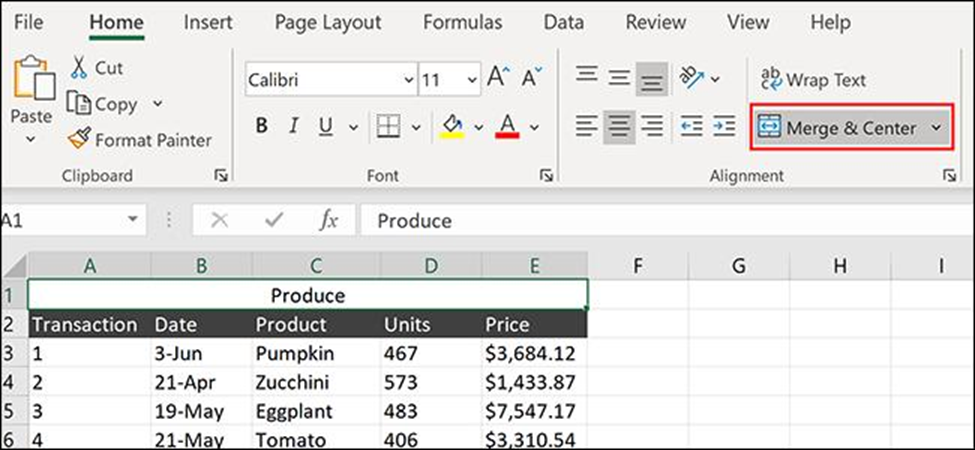
4. Click the Home tab on the Ribbon and click Merge & Center. Your text should now be centered within the new row.
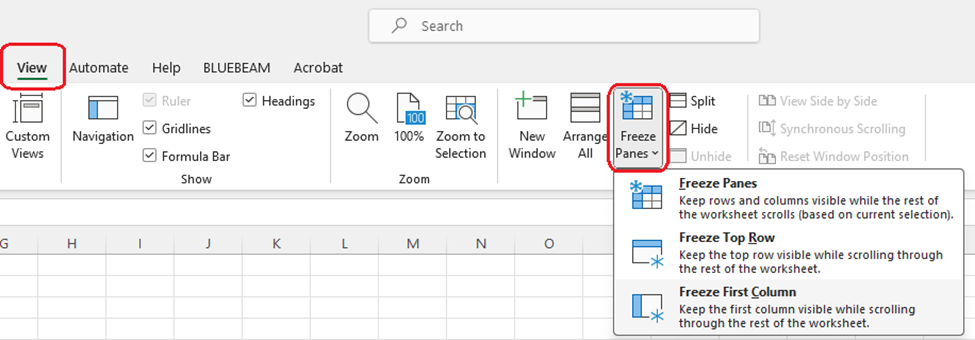
5. To freeze the Top Row, click, on View > Freeze Panes > Freeze Top Row.

You also might be interested in

Microsoft MFA: Multi-Factor Authentication (MFA) for Office 365

May 23, 2024

Method Studio uses Multi-Factor Authentication for all Microsoft Office products.[...]

Enscape: Hardware Requirements to run Enscape

Feb 23, 2024

Overview Enscape uses ray tracing for its real-time rendering, and[...]

How To Order Supplies

Jul 18, 2023

For any office supplies, you can send an email to[...]

Contact Us

We're currently offline. Send us an email and we'll get back to you, asap.

Send Message

Pages

  • Admin Docs
  • General Office
  • Home
  • IT Support
  • QX Support

Categories

  • General Office
    • Food
    • Supplies
  • IT
    • Ajera
    • Barracuda Email Gateway
    • BIM Apps
      • Autocad
      • Bluebeam / Revu
      • Enscape
      • PyRevit
      • Revit
      • SketchUp
    • Computer Hardware
      • Monitors/Displays
      • Printing & Scanning
    • Cybersecurity
    • MacOS
    • Mobile Devices
    • Networking
    • Office 365
      • Excel
      • Microsoft Authenticator
      • OneDrive
      • Outlook
      • Teams
    • PDF
    • VPN & Remote Connection
    • Windows
      • Shortcuts

Recent Posts

  • Bluebeam: Missing Menu Bar or Toolbar
  • How to send Encrypted Email externally (outside the organization)
  • Enscape: already installed on this machine
  • PDF: How to open a PDF file
  • Enscape: How to activate Enscape using a license key

2025 Method Studio

Prev Next